
What to expect from an X-Ray camera app
An X-Ray camera app gives a familiar photo a surprising new look. With XRayly, you choose a photo and a style, and AI turns it into an effect you can save or share for fun.
Written by XRayly2 min readUpdated
A new look for a familiar photo
Expect an artistic version of your photo, with the mood and details of the effect you choose.
The X-Ray effect can add cool blue tones, glowing edges, and imagined skeletal details. An ordinary pose can suddenly look like something from a science-fiction scene.
The fun is seeing how a photo you already know changes. Try an expressive pose, a favorite portrait, or another shot you are curious about.

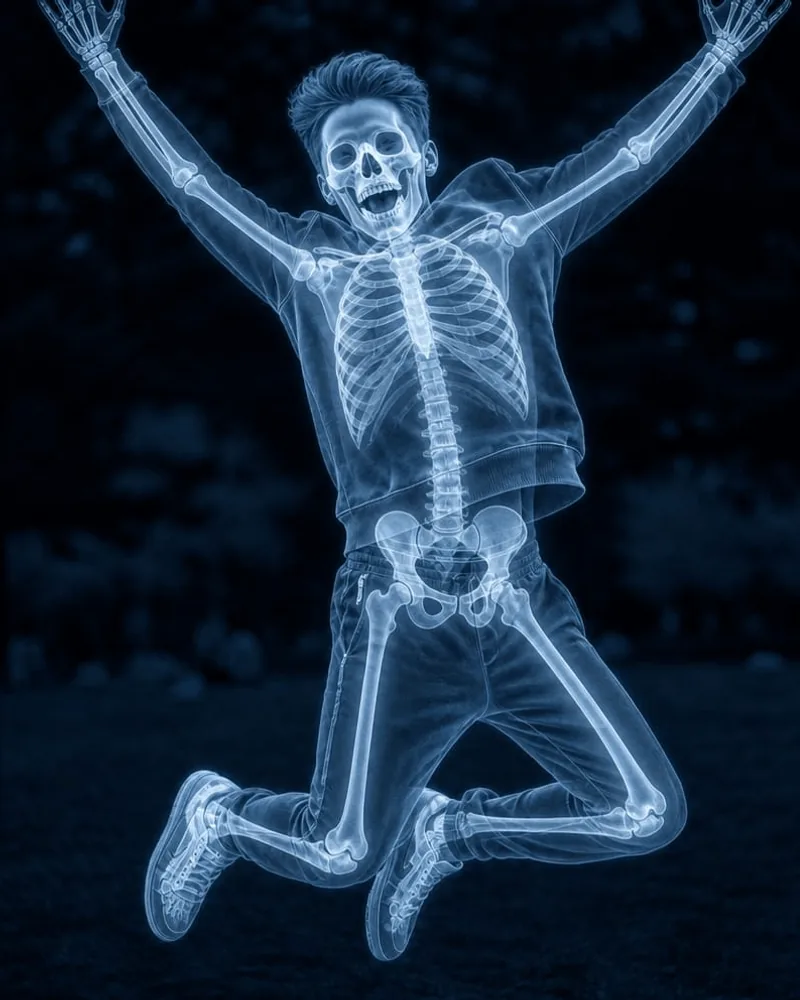
AI adds its own interpretation
XRayly uses your photo as the starting point and generates a version in your chosen style. It can change colors, textures, shapes, and small details as part of that look.
The result may not preserve every detail exactly. Treat it as a creative take on your photo, and keep the versions that make you smile.
Different photos can give different results
A close-up portrait and a full-body pose give the effect different details to work with. Lighting, framing, and the visible subject can all influence the result.
If a result feels unexpected, try a clearer photo or adjust the crop. There is no need to chase one perfect result; experimenting is part of the fun.
Artistic effects made for fun
X-Ray, Thermal, and Night Vision are artistic simulations. XRayly does not capture real X-rays, measure temperature, see in darkness, or see through clothing or objects. The details in the result are generated, rather than something the app has detected.
See your world differently
Download XRayly, try X-Ray, Thermal, and Night Vision on your own photos, and find your favorite style.

